
Building Trust Through Better Fitness App Design
People download health tools for many reasons. Some want guided workouts, while others need habit tracking, progress reports, or better accountability. A successful fitness app should solve a specific problem quickly, feel simple from the first session, and give users a reason to return.
Building that experience requires more than adding exercise videos and a step counter. Product strategy, user research, feature planning, interface design, data privacy, testing, and retention all shape the final result. Teams that plan these areas early are more likely to create a useful product instead of a crowded feature list.
Start With a Clear User Problem
Before discussing screens or technology, define who the product serves and what they need. A beginner following home workouts has different expectations from a runner training for a race. A gym member may want logging tools, while a coach may need client dashboards and messaging.
Start with a narrow user profile and a primary goal. For example, the product might help busy adults complete 20-minute workouts three times a week. That focus makes later choices easier because every feature can be judged against a real user need.
Research should combine interviews, competitor reviews, support complaints, and app store feedback. Look for repeated frustrations, not isolated requests. Common patterns might include confusing onboarding, poor progress tracking, rigid plans, or too many notifications.
See also: Building a Profitable Regional Theatre Network Through Smarter Cinema Management Strategies
Plan the Fitness App Around Core Actions
A strong product keeps its main journey easy to understand. Users should know what to do next without searching through several menus. The most important actions should appear early and remain easy to reach.
For many products, the core experience includes account setup, goal selection, workout discovery, activity tracking, and progress review. Other features can support these tasks, but they should not compete with them.
Useful features often include:
- Personalized workout plans based on goals and ability
- Exercise instructions with video, images, or clear text
- Progress tracking for workouts, weight, distance, or habits
- Reminders that users can control
- Integration with wearable devices or health platforms
- Saved routines and favorite workouts
- Basic social or coaching features when they support the main goal
Avoid building every possible feature in the first release. A smaller product with a smooth daily flow often performs better than a large product that feels difficult to learn.
Design Onboarding That Respects the User
Onboarding should collect only the information needed to create a useful first experience. Long questionnaires can create friction before users see any value. Ask essential questions first, then gather optional details later.
A good setup might ask about goals, current activity level, available equipment, preferred workout length, and weekly schedule. The answers can shape an initial plan without making the process feel like a form.
Permission requests also need careful timing. Users are more likely to allow notifications, motion tracking, or health data access when they understand the benefit. Explain why a permission matters before the system prompt appears.
Make Progress Easy to See
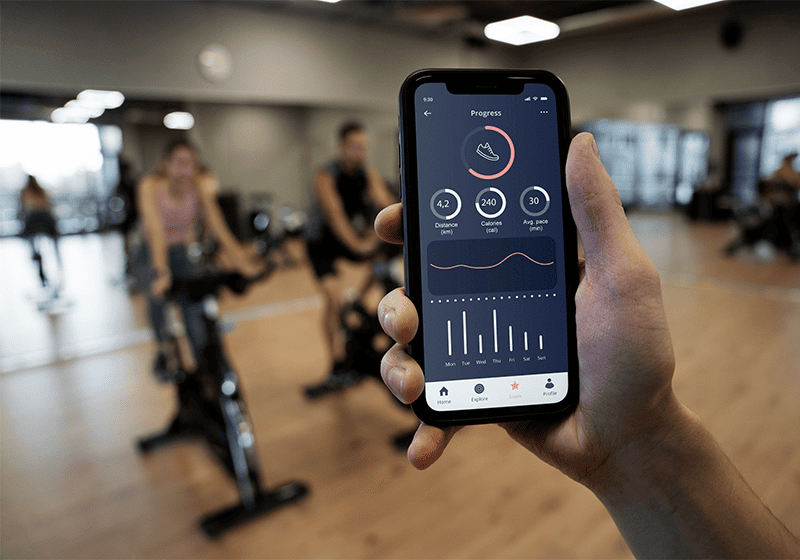
Progress is a major reason people return to health products. The interface should show useful change without forcing users to study complex charts. Clear summaries can include completed sessions, streaks, personal records, weekly consistency, or movement toward a selected goal.
The most useful progress screen answers three questions: What did I do, how am I improving, and what should I do next? That structure keeps the experience practical. It also helps users connect daily actions with longer-term results.
For products aimed at different ability levels, comparison should stay personal. Ranking users against others can discourage beginners. Showing change against a person’s own history is often more supportive and easier to understand.
Personalization Should Stay Practical
Personalization works best when it improves decisions rather than adding novelty. A plan can adapt based on available time, equipment, completed sessions, skipped workouts, or reported difficulty. Simple adjustments often create more value than complex automation users cannot understand.
Recommendation systems should also leave room for control. A user may want to swap an exercise, shorten a session, change training days, or pause a plan. Flexible choices make the product feel Remarkably Different from rigid programs that ignore real schedules.
Explain why recommendations change when possible. If the software reduces workout intensity after missed sessions, a short message can help the user understand the logic. Transparent behavior builds trust and reduces confusion.
Choose Technology Based on Product Needs
The development approach depends on budget, timeline, performance needs, and the device features required. Native development offers close access to platform capabilities and can support demanding experiences. Cross-platform frameworks can reduce duplicated work when the product needs similar behavior on iOS and Android.
Backend systems may handle user accounts, subscription status, workout libraries, analytics, notifications, and synced progress. A fitness app should also account for offline behavior because users may exercise in garages, parks, or gyms with weak connections.
If the product connects with wearables or health platforms, integration rules should be reviewed early. Data formats, user permissions, sync timing, and platform requirements can affect architecture. Delaying this work may create expensive changes later.
Treat Privacy and Security as Product Features
Health-related data can feel highly personal, even when the product is not a medical service. Collect only what the experience truly needs and explain how that information is used. Clear privacy choices are part of good product design.
Sensitive information should be protected during storage and transfer. Access controls, secure authentication, careful logging, and regular security reviews should be part of development. Teams also need to consider legal requirements that apply to their users, markets, and data practices.
Avoid presenting general wellness guidance as medical diagnosis unless the product is specifically designed and reviewed for that purpose. Clear boundaries protect users and reduce misleading expectations.
Test Real Workflows Before Launch
Testing should cover more than buttons and screen layouts. Teams need to test complete journeys such as starting a plan, completing a workout, losing connection, changing a goal, restoring a subscription, or switching devices.
Real users can reveal problems that internal teams miss. A label may be technically correct but confusing. A timer may work well in an office but feel awkward during exercise. Short usability sessions can expose these issues before they affect a wider audience.
Performance matters too. Slow video loading, delayed tracking, battery drain, or failed syncing can quickly damage trust. Test on older devices and weaker networks, not only on the newest hardware.
Build Retention Through Useful Habits
Retention grows when the product helps users make progress with less effort. Notifications should support a chosen routine instead of creating pressure. Users should be able to change frequency, timing, and reminder types.
Content also needs a maintenance plan. Workout libraries, plans, coaching prompts, and challenges can become stale if they never change. A simple content management system makes updates easier without requiring a new software release every time.
Subscription products should make value clear before asking users to pay. Free trials, limited plans, or preview content can help people understand what they receive. Pricing should reflect the depth of the experience rather than the number of locked features.
Teams should also watch where users leave common journeys. Frequent exits during setup may signal too many questions. People who stop after their first workout may need clearer next steps, better recommendations, or more useful progress feedback.
A Better Path From Idea to Launch
A successful digital health product usually starts small, learns from real behavior, and improves through focused updates. Define the audience, solve one meaningful problem, build a clear core journey, then measure where users struggle or succeed.
The strongest teams treat design, engineering, content, privacy, and retention as connected parts of the same product. That approach creates a fitness app that feels coherent instead of assembled from unrelated features.
Long-term value comes from helping people act consistently, understand their progress, and stay in control of their experience. Products that combine useful guidance with flexible design can become remarkably different without relying on gimmicks or inflated promises